Features
Everything Mettlespark does for you.
Every part of Mettlespark in one place, from reading the job market to landing the offer, with a short look at each in the app. Compare what comes free with what Forge adds, and choose what fits.
Your market
What employers ask for, and how it's moving.
Every posting for your target role, read for skills, seniority, pay and work arrangement, with reposts merged. Job data covers the US and Canada, with trends back to 2021.
-
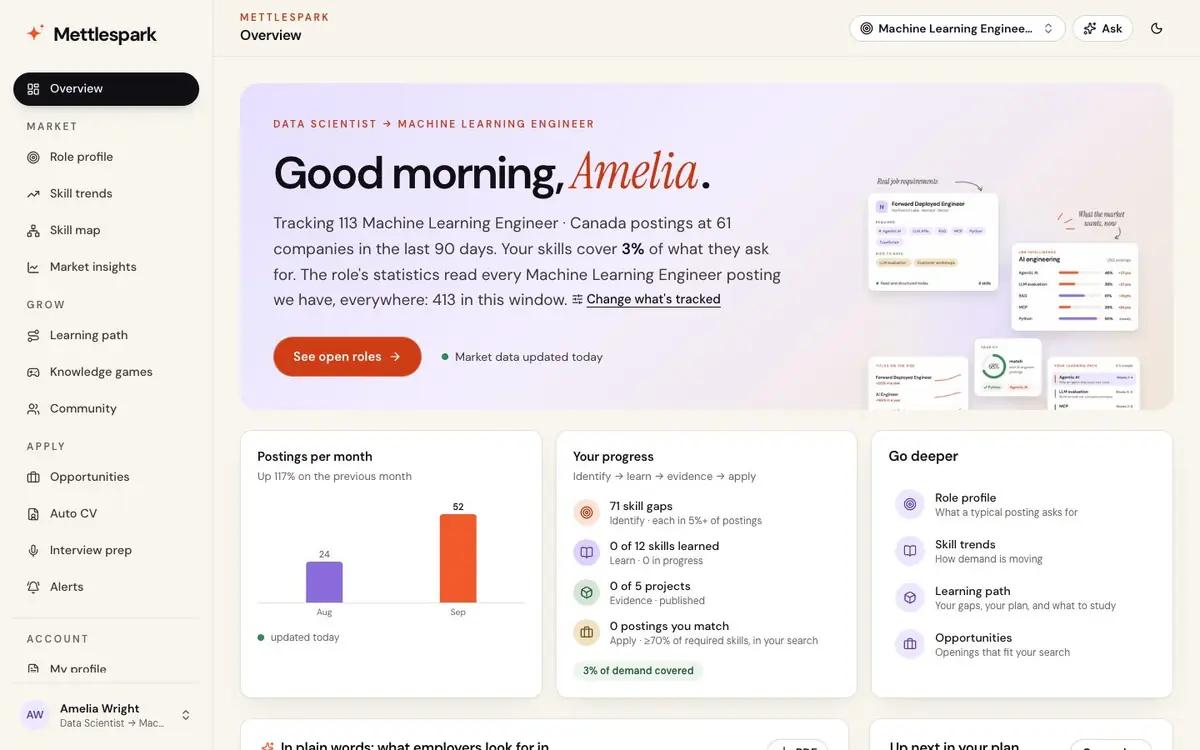
Overview
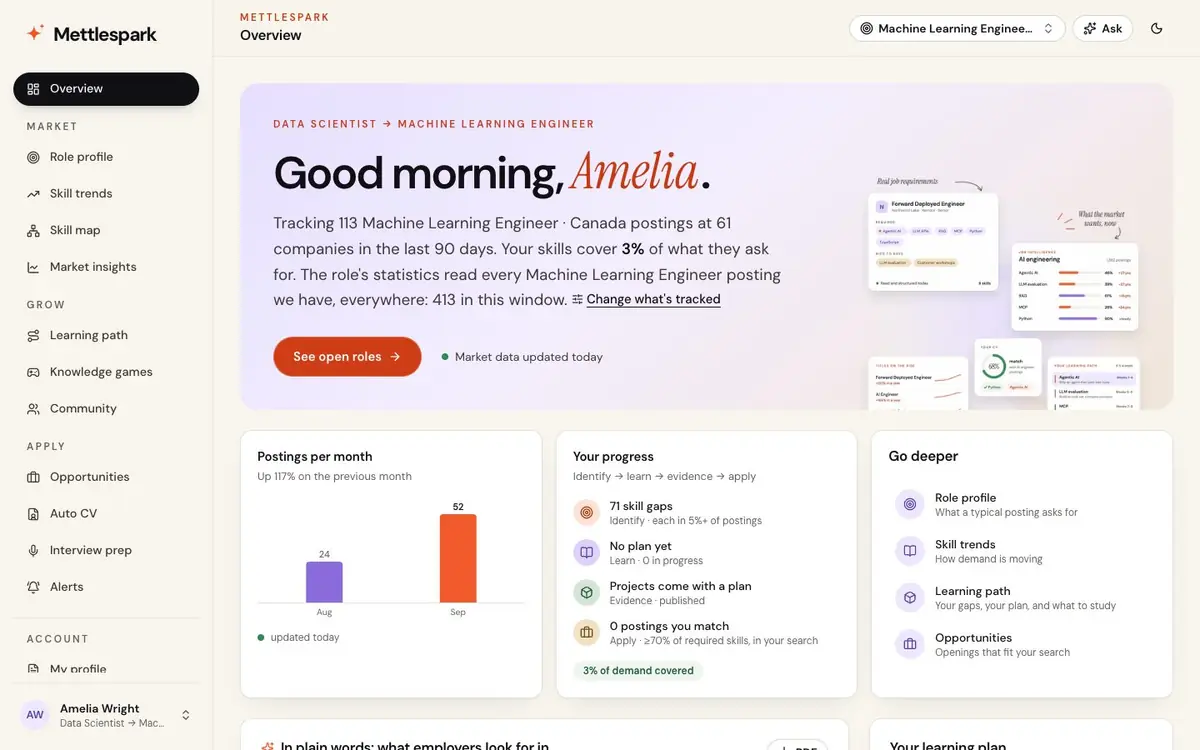
OverviewWhere you stand at a glance: how much of your role's market your CV covers, postings per month for your search, your progress, and what to do next.
- In plain words: a short brief of what employers for your title and level look for, written from the newest postings, and a PDF to keep. Mettlespark AI
-
Role profile
Market → Role profileThe average posting for your target title at your level: what every posting asks for, what's common, and what sets your level apart.
- Skills tagged academic, technical or professional, with the experience, education and remote share asked for.
- The seniority mix, demand by skill category, who's hiring and from which sources.
- How the role's job titles have changed over the years.
-
Skill trends
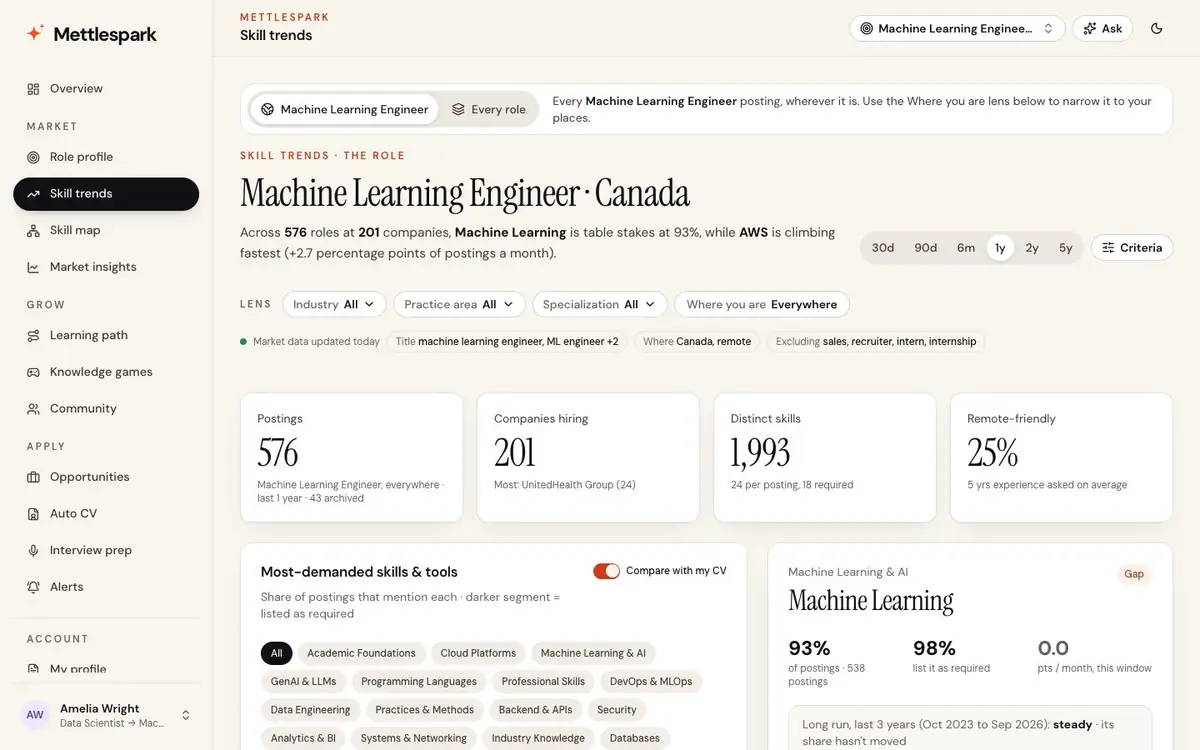
Market → Skill trendsWhich skills are rising or fading, this month and over the long run, compared like for like, with how sure each month is.
- Lenses by industry, practice area and specialization, and a skill-mix heatmap.
- Where you are: what your city or country asks for more or less than the market.
- Spark shows the top 15 skills over the last year; Forge and Guild show every skill, back to 2021.
-
Skill map
Market → Skill mapThe skills employers ask for together, drawn as a network: the families they form, the bridge skills that connect them, and with your CV, your shortest next steps.
-
Market insights
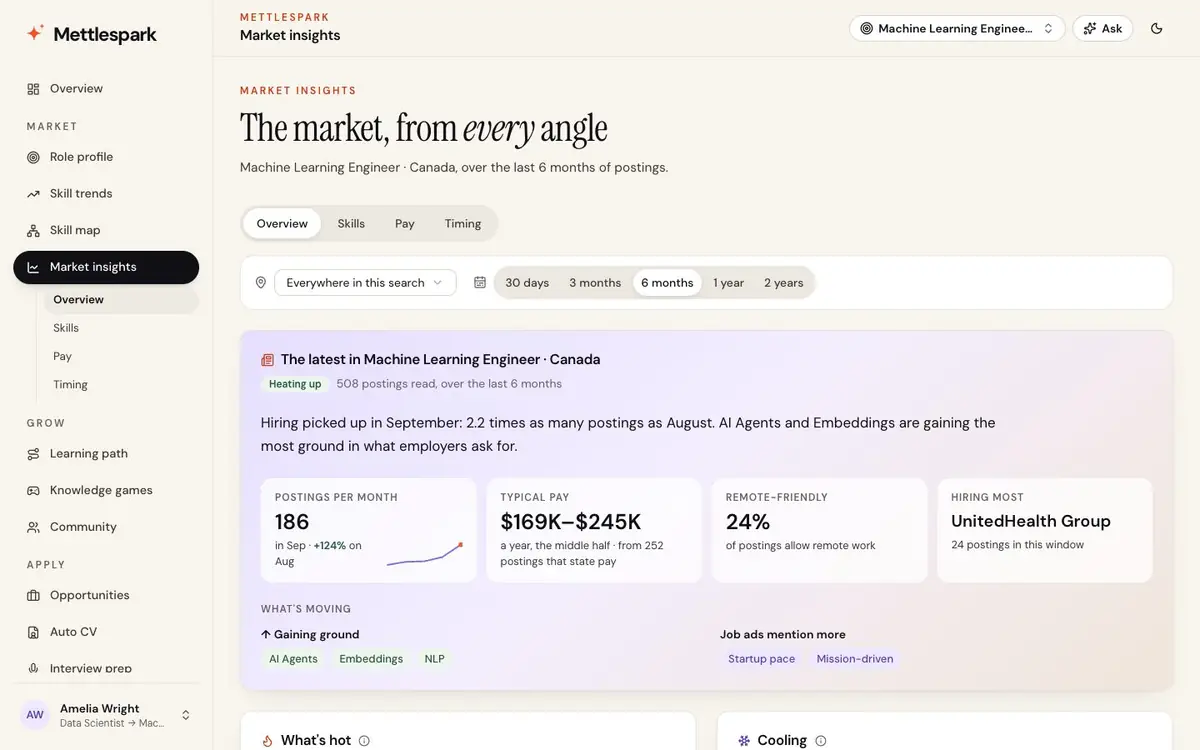
Market → Market insights → OverviewOne read of your market for any place, from 30 days to 2 years.
- Hot and cooling: skills and titles, called only when the move clears the data's own noise.
- Where the hiring is: countries, cities and the remote share, and the market's mood.
- Pay and benefits: stated ranges by level and month, and the benefits offered and how they're changing.
- You vs. others: your CV's coverage as a percentile among people aiming for the same role.
- What employers talk about: last month's hiring news for your role and place, summed up with links. Mettlespark AI
-
Skills view
Market insights → SkillsHow skills relate, learned from the postings themselves.
- A skill tree, near skills, substitutes and complements.
- What postings that ask for your skills also ask for, and hidden gems that few people list.
- Pairs of skills that pay more together, and roles that ask for more than they need.
-
Pay view
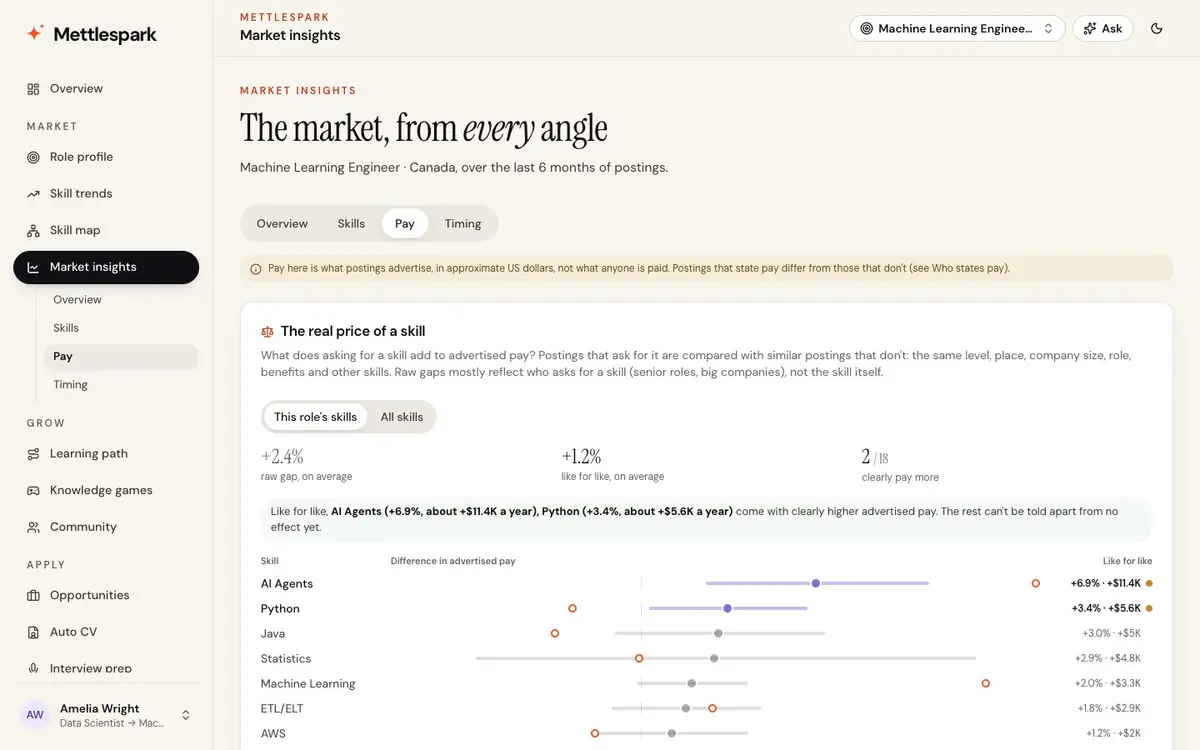
Market insights → PayWhat a skill is worth in advertised pay, with level, place and company held equal, and estimates shown with their uncertainty.
- Where a skill pays most, what perks and remote work cost in advertised pay, and what drives pay.
- Who states pay, so you know what the numbers stand on.
-
Timing view
Market insights → TimingWhere each skill's demand is heading, with honest ranges, the month its trend bent, and the signals that lead it.
- A hiring and pay map, fresh and stale postings, and any company's tech stack, looked up by name.
-
Alerts
Apply → AlertsAn alert watches a search and tells you in the app and by email, instantly, daily or weekly.
- New postings, and strong matches where your CV already shows most of what's required.
- Skills whose demand moved by the amount you set in a month.
Roles and fit
The roles you match, and the jobs you want.
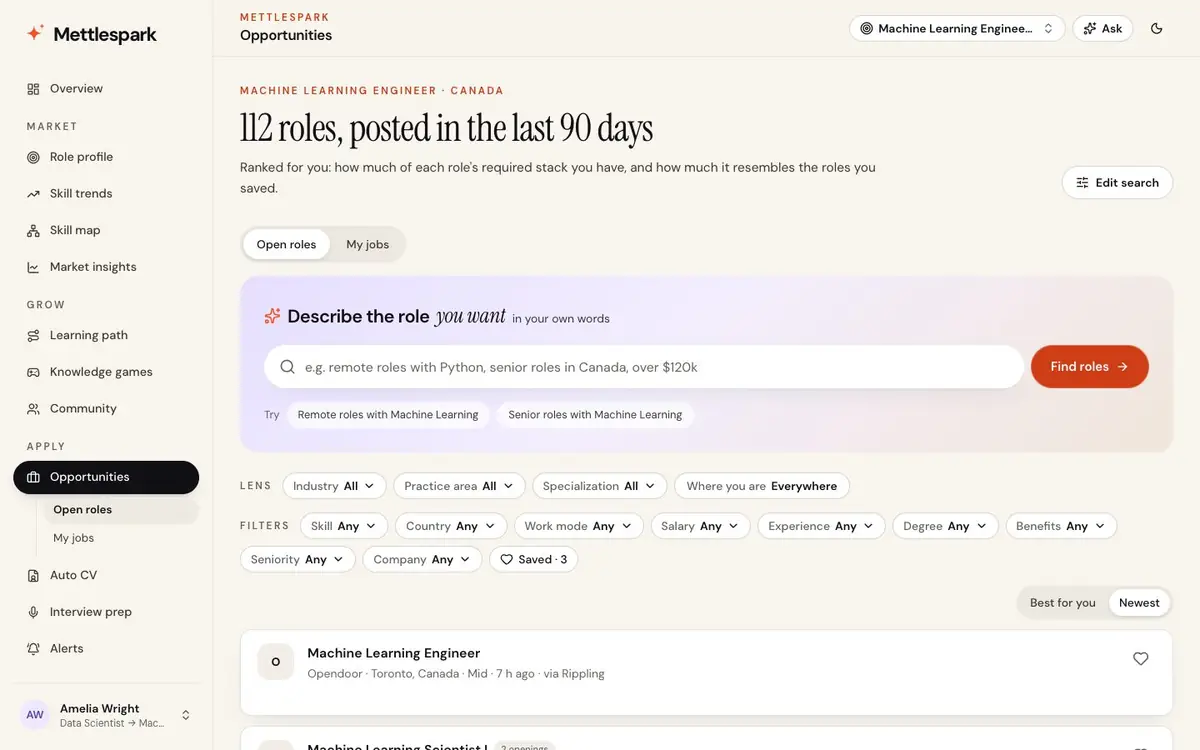
Your CV against what employers ask for, every open posting ranked for you, and one list of the jobs you're going after, wherever you found them.
-
Your fit
Overview, Learning path, OpportunitiesUpload your CV in Word, PDF, text or Markdown, or type your skills. See how much of what employers ask for it covers, weighted by how often they ask, your gaps in order, and a match score on every posting.
- Your CV read in context: skills written in your own words are caught, false matches skipped, and each skill shows the line that proves it. Mettlespark AI
-
Search in plain words
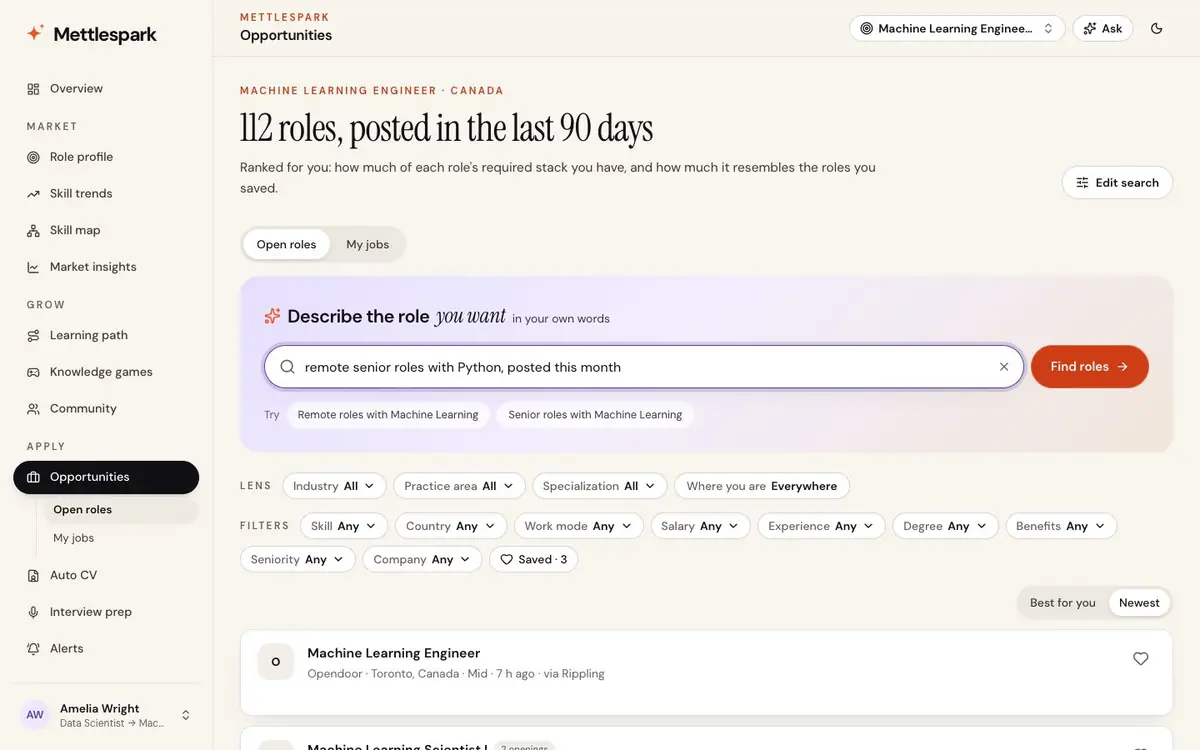
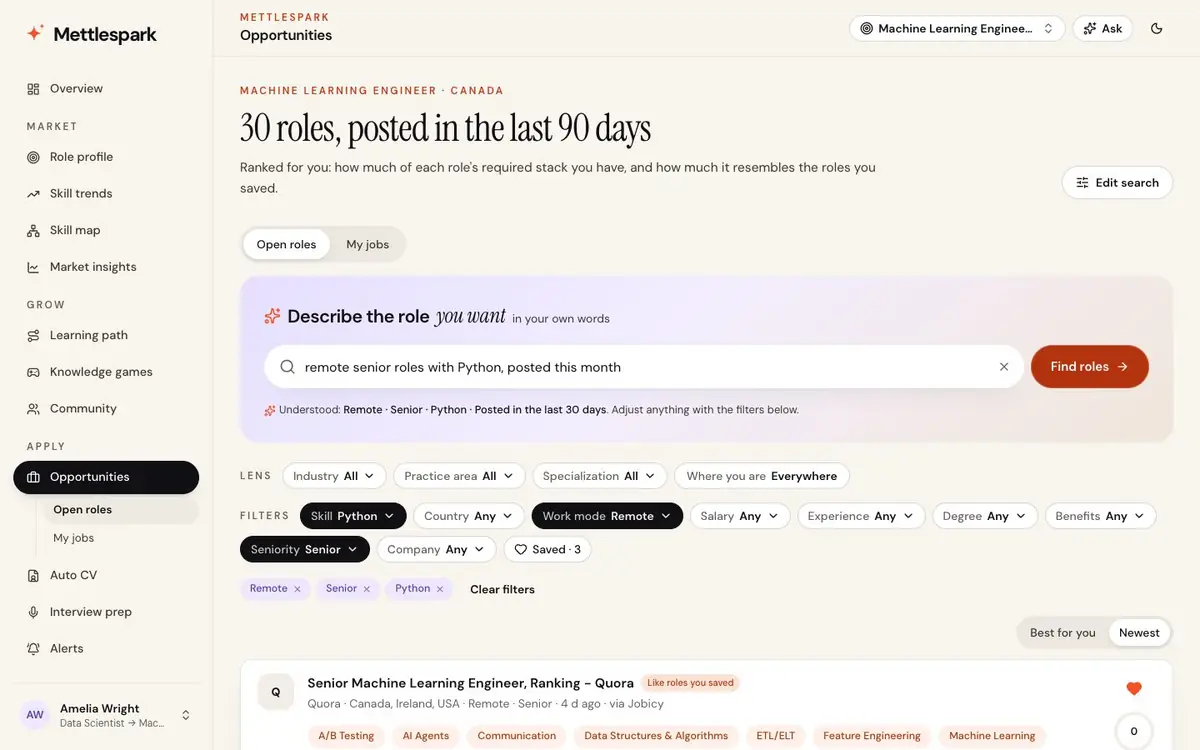
Apply → OpportunitiesDescribe the role you want the way you'd say it. Every part becomes a filter you can remove, and each result says where it matched.
remote senior ML engineer in Toronto, 120k to 160k, python or go, posted this week
- Work mode, places, pay, seniority, years, degree, benefits, skills, companies and what to leave out ("no fintech").
- Your recent searches, and example searches checked to find roles before they're offered.
-
Roles ranked for you
Apply → Opportunities"Best for you" blends how well you match each role with how much it resembles the roles you saved.
- Lenses for skill, country, work mode, minimum pay, experience, degree, benefits, seniority and company, each with counts.
- Postings old enough to be filled are greyed out.
-
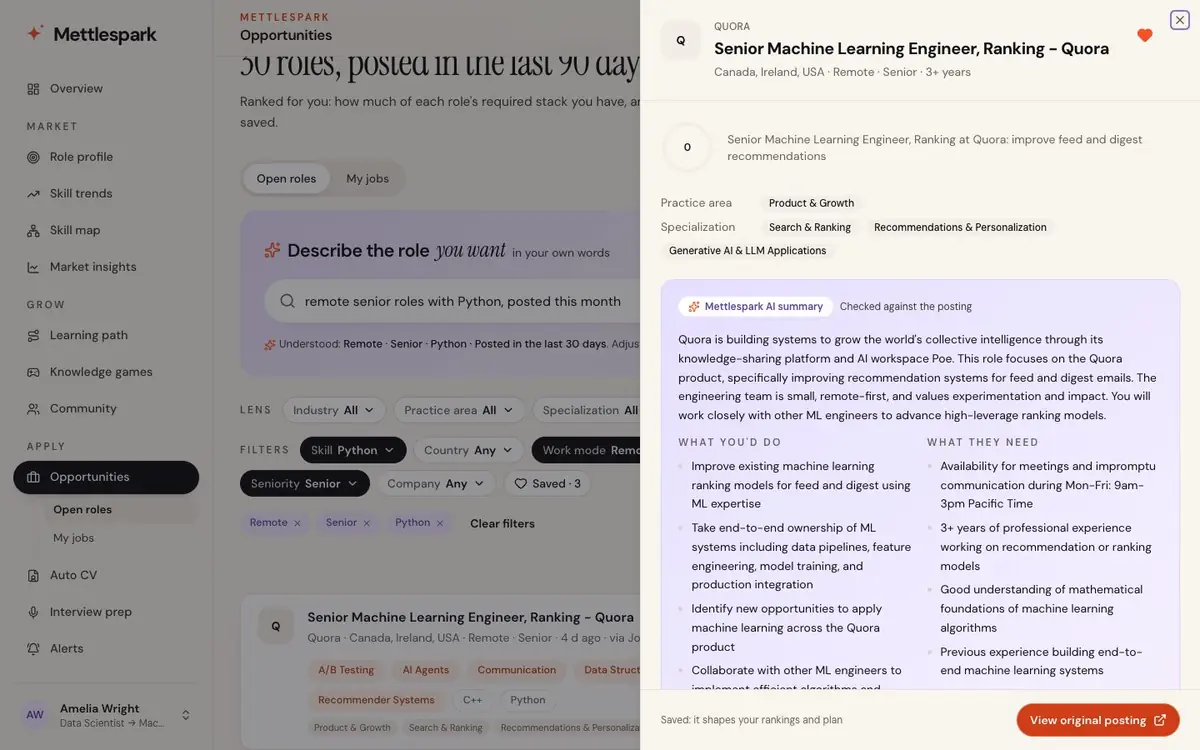
Every posting, read for you
The posting drawerOpen any posting for what you'd do, the must-haves and nice-to-haves, pay, remote regions, experience and visa sponsorship, kept apart from the original text, which is always there to read.
- A fair pay range when the posting doesn't state one.
-
My jobs
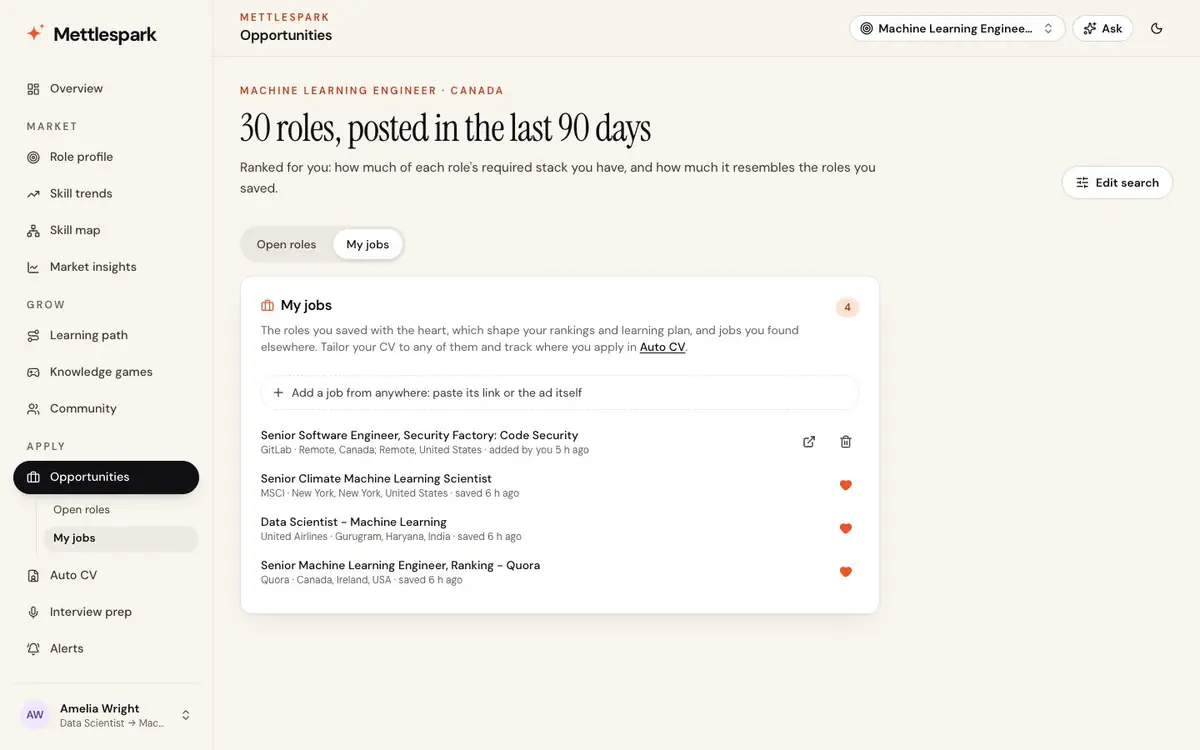
Apply → Opportunities → My jobsEvery job you're going after in one list: the roles you saved with the heart, and jobs you found anywhere else.
- Add a job from anywhere: paste its link and Mettlespark reads the page, or paste the ad itself.
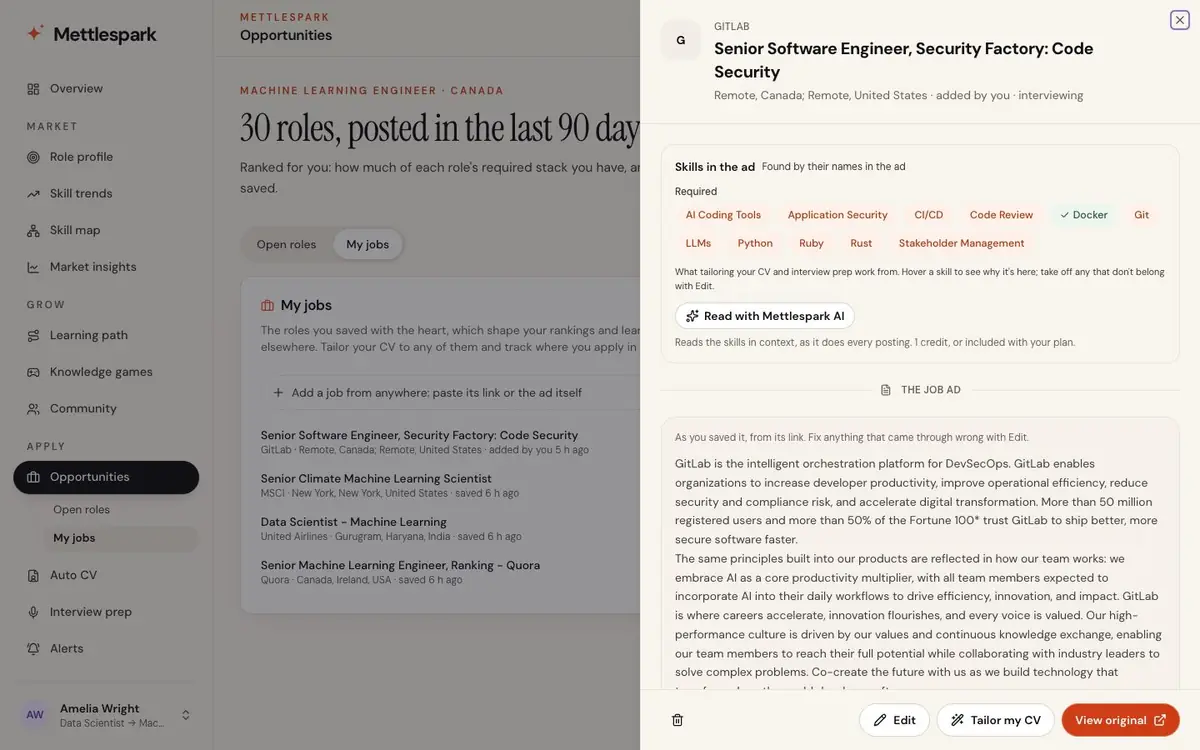
- Open one to read the ad, see the skills it asks for and why each was found, and correct anything that came through wrong.
- Have Mettlespark AI read it in context, as it does every posting. Mettlespark AI
- Each job is ready to tailor a CV to, track and prepare for.
-
Up to five target roles
SearchesTrack more than one direction at once, each with its own market, fit and plan. Searches switch instantly. Spark tracks one role; Guild members up to ten.
Learning
Close the gap, one week at a time.
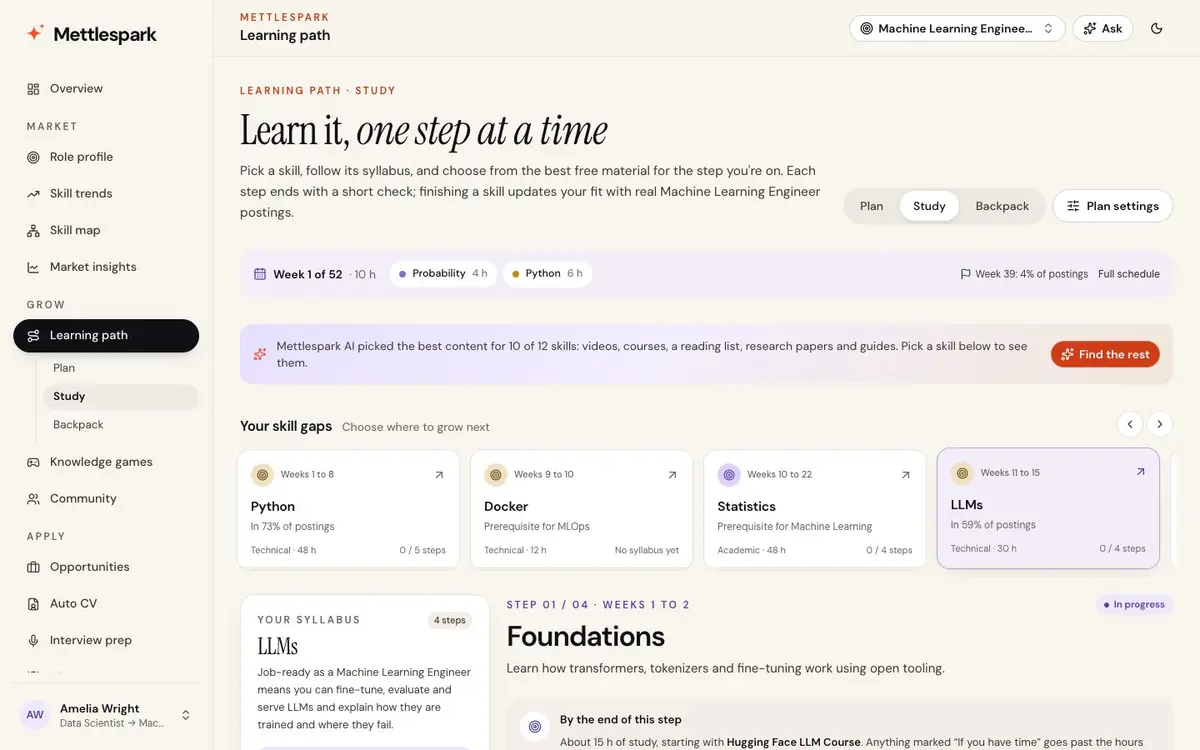
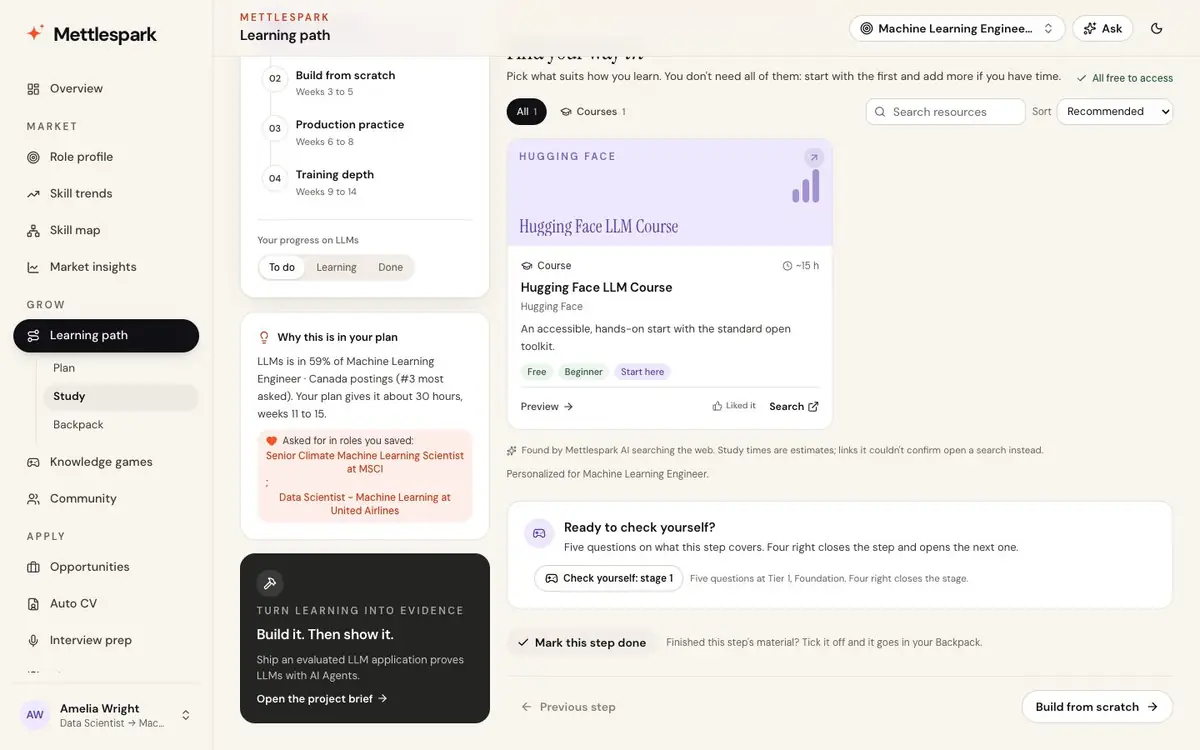
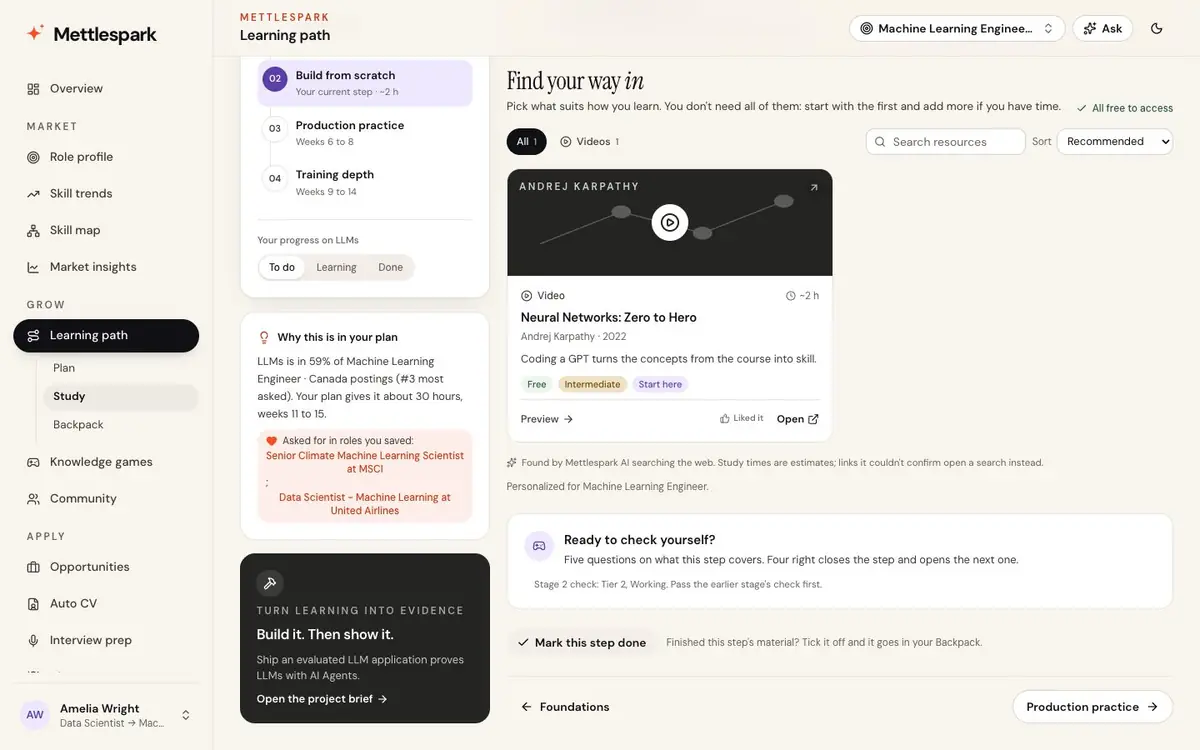
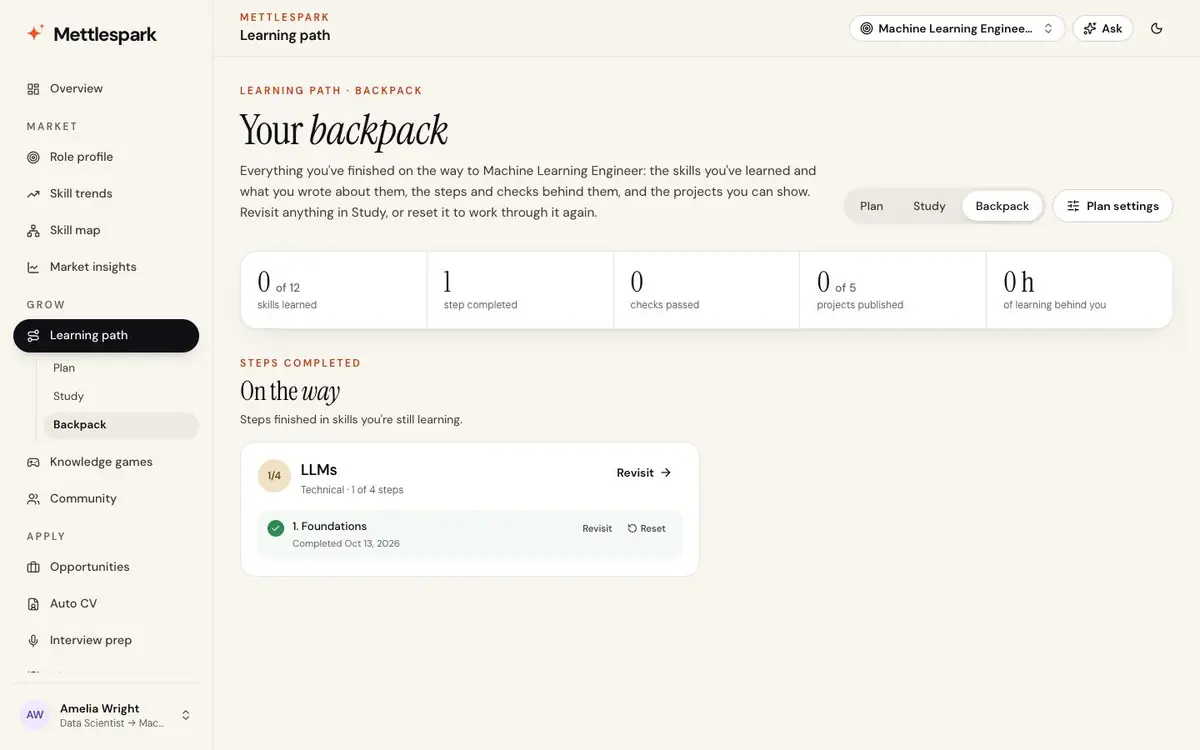
A learning path for the skills you're missing, sized to the hours you have, with the best material for each step and projects that prove what you learned.
-
Learning path: Plan
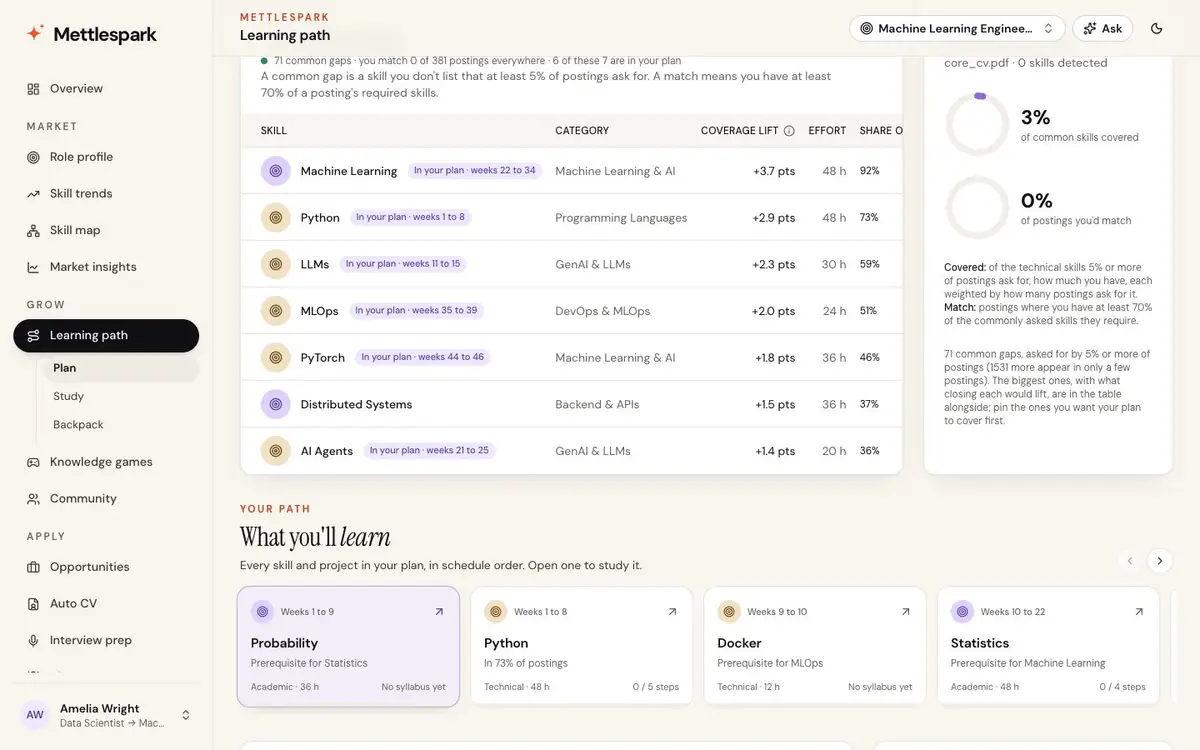
Grow → Learning path → PlanYour missing skills in the order that matters, ranked by how often employers ask and ordered so prerequisites come first. Never more than 12 months.
- Choose how deep to go and see the estimate first: weeks, hours, and the share of postings you'd match when done.
- Three tracks: university-style foundations, tools and frameworks, and portfolio projects.
- A schedule with "you are here" that you can move ahead, and your readiness week by week.
- Pin gaps for the next rebuild, and export the plan to Markdown.
-
Study
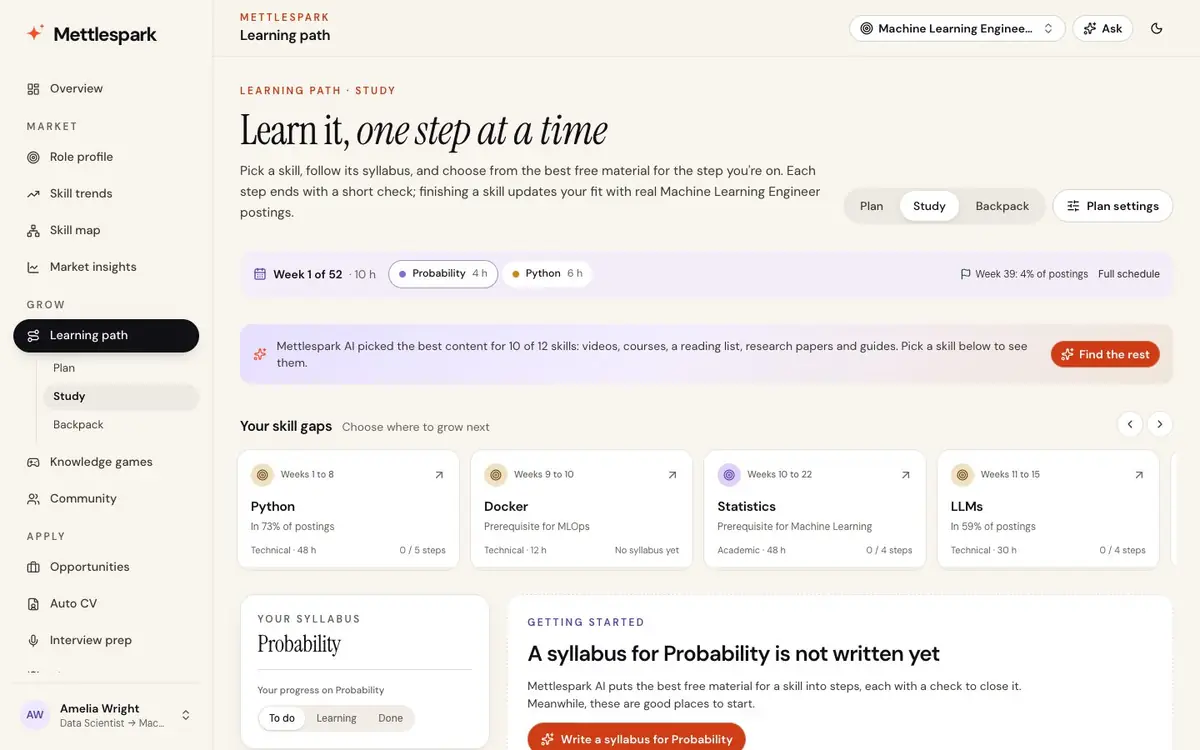
Grow → Learning path → StudyEach skill opens as a syllabus, from the foundations to going deeper, with the material for the step you're on.
- Videos, books, papers, guides and free courses, with how long each takes, who made it and why it's there.
- Start here, If you have time, Hand-picked and Official marked; filter by format, by what fits your hours or by what's free.
- Preview a resource's notes before you open it. Links are checked every week, and resources others liked rise.
- The best content for a skill, found on request. Mettlespark AI
-
Check yourself
The end of each stepFive questions on the skill at the step's level. Four right closes the step and opens the next; you can also tick a step off yourself.
-
Projects that prove it
Learning pathThree to five portfolio projects designed for your plan's skills and target role, ending in a capstone, each with deliverables, effort, why hiring managers value it, and a stretch goal. A project is published with a link to what you made.
-
Backpack
Grow → Learning path → BackpackEverything you've finished, kept for reference: skills learned with what you wrote about them, steps completed, resources you liked, and published projects with their links. Revisit anything in Study, or put it back in your plan.
-
Weekly learning newsletter
EmailThis week's lessons on the day you choose, with every link.
-
Knowledge games
Grow → Knowledge gamesPractice on your own gaps through five tiers per skill, Foundation to Master. Four right of the last five moves you up.
- A daily challenge of five questions on the skills your role asks for and your CV lacks.
- Questions you missed come back.
-
Community
Grow → CommunityPeople on the same path: a space for each role, and for changing careers, first roles, interviews and learning.
- Discussions, questions and milestones, with replies, likes and an answer the asker can mark.
- Shown by first name and initial, with your path ("Data Scientist → ML Engineer"), never your email.
-
Career switches, mapped
Onboarding and searchesSet where you are and where you're going, from intern to director across more than 40 roles, and everything above follows that move.
CV and interviews
A CV for each job. Prep for each interview.
From My jobs to the offer: tailor your CV, prepare for the company, and keep a record of what comes back.
-
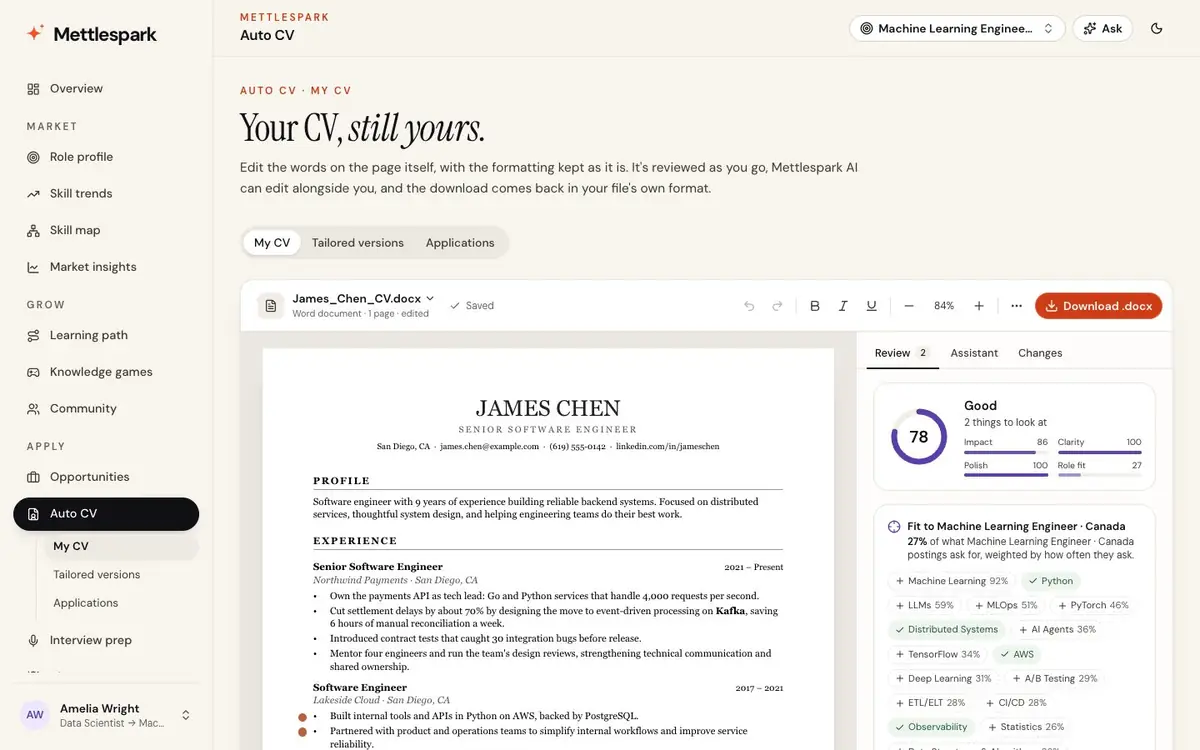
Auto CV: the CV editor
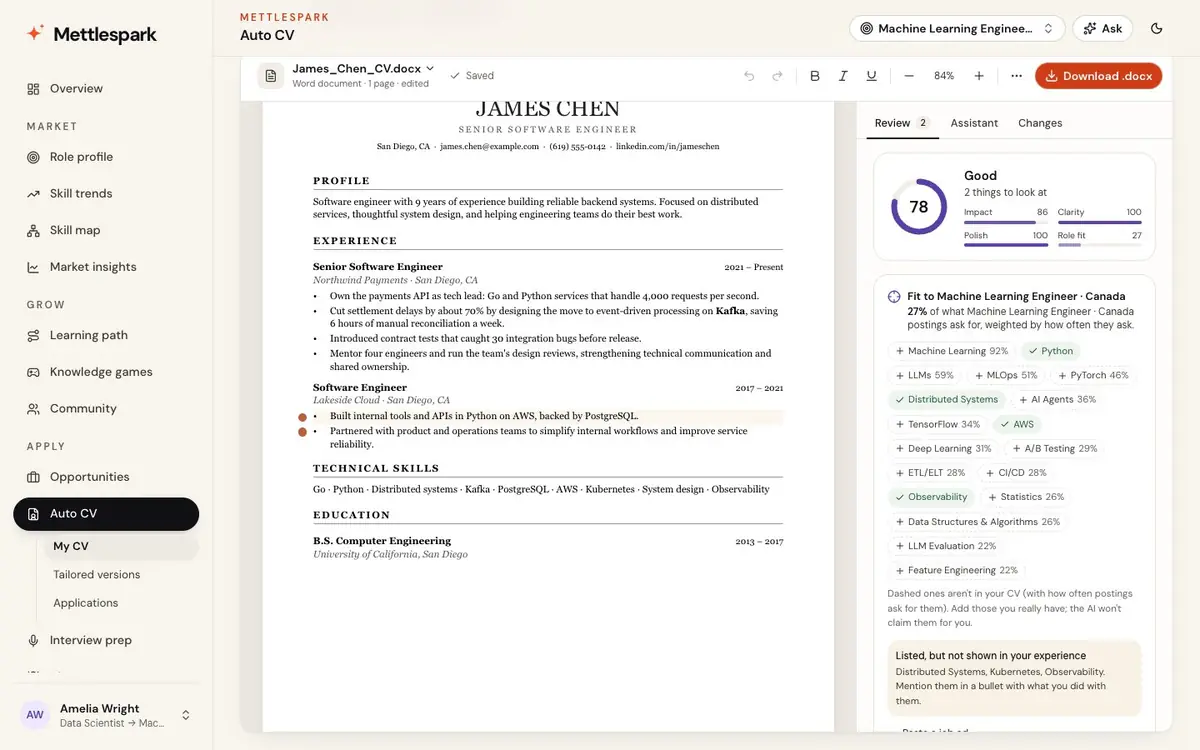
Apply → Auto CV → My CVEdit your Word or PDF CV right on the page, with its fonts, layout and design kept, and download it in the same format.
- A review as you type: a score out of 100 for impact, clarity, polish and fit, with a dot beside each bullet worth a look.
- Fix with AI: rewrite a line, a section or the whole CV as suggestions you keep or reject. Every fact, number and date stays. Mettlespark AI
- Select words to improve, shorten or strengthen just those.
- Recently learned: add the skills and projects you finished in your plan, in your CV's own formatting.
-
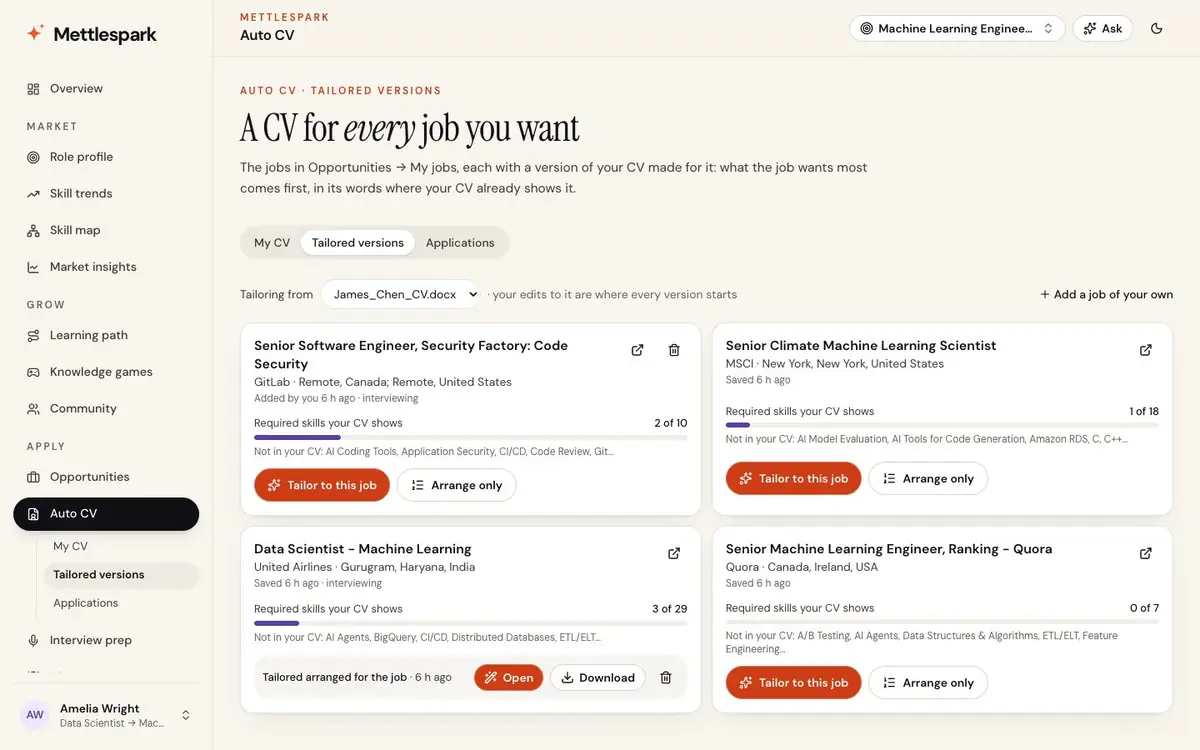
Tailored versions
Apply → Auto CV → Tailored versionsA version of your CV for each job in My jobs, with how much of what it requires your CV shows.
- Arrange for this job: instant. The skills it asks for move to the front, and the bullets that show them move up.
- Tailor with AI: also rephrased in the ad's words, only where your CV already shows what it asks for. Mettlespark AI
- Each downloads in your file's format, named with the company.
-
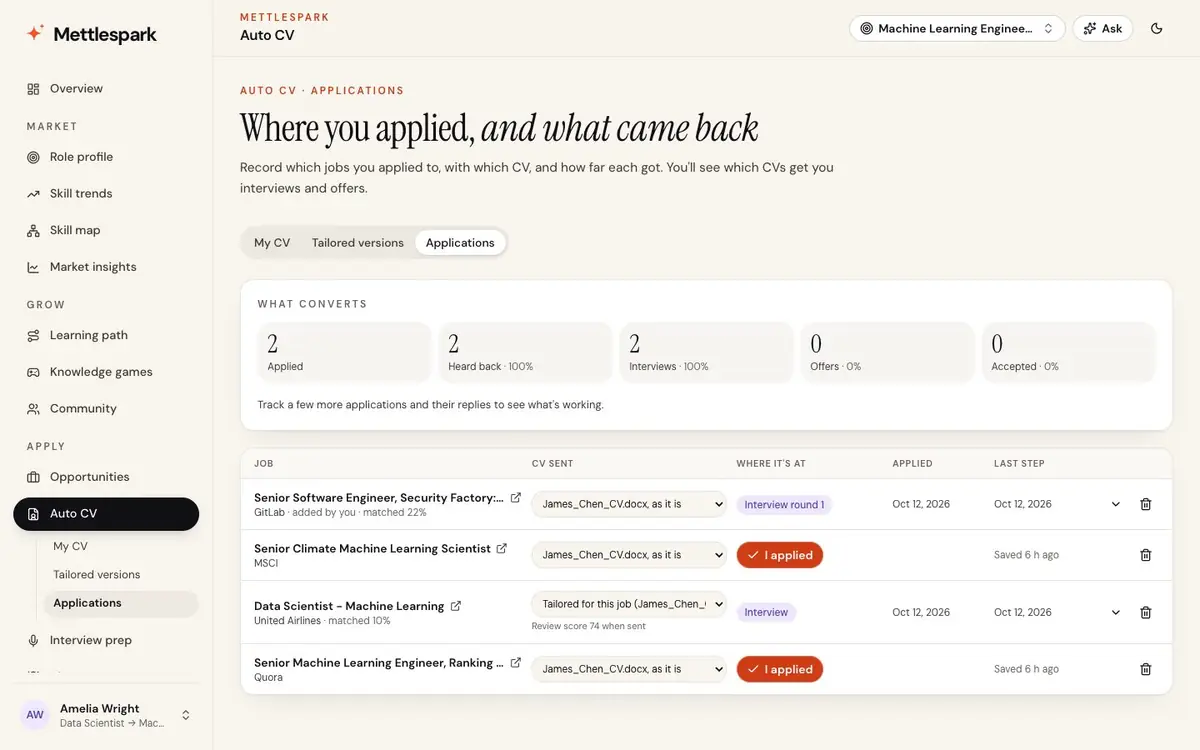
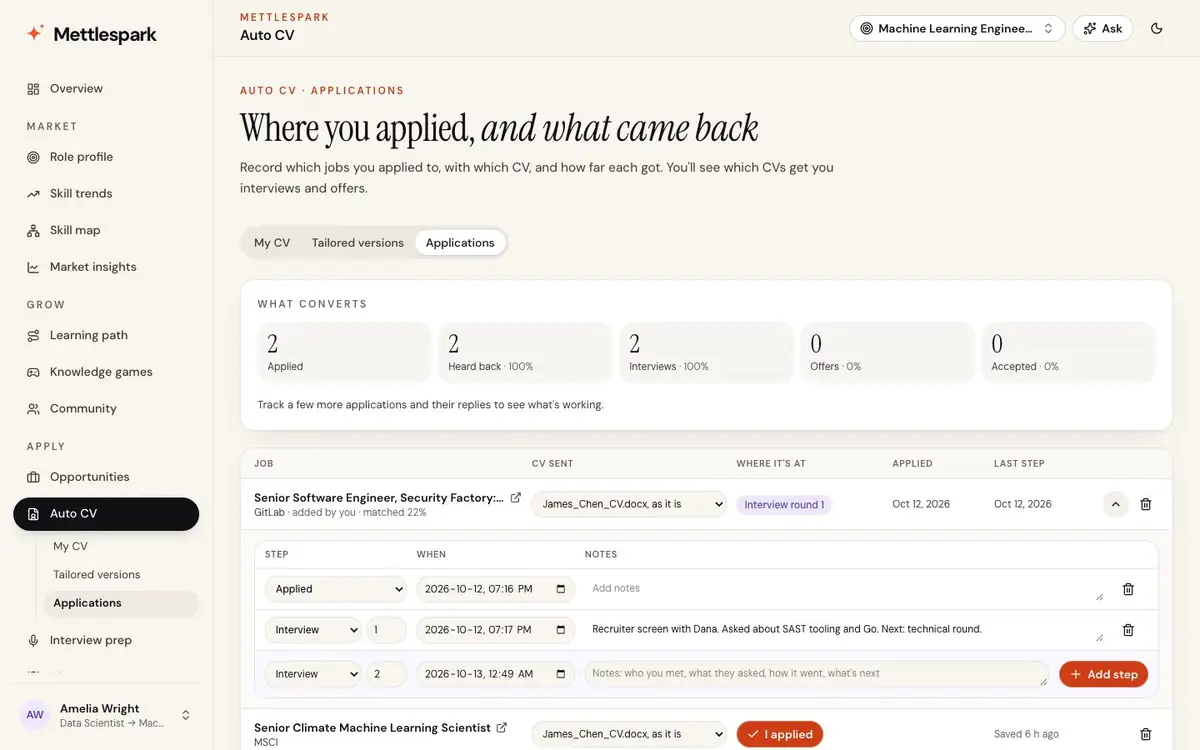
Applications
Apply → Auto CV → ApplicationsYour own tracker: every job you applied to, the CV you sent, and each step from applied to interview rounds to offer, with a time and your notes.
- What converts: interview and offer rates by the kind of CV you sent and by its review score.
-
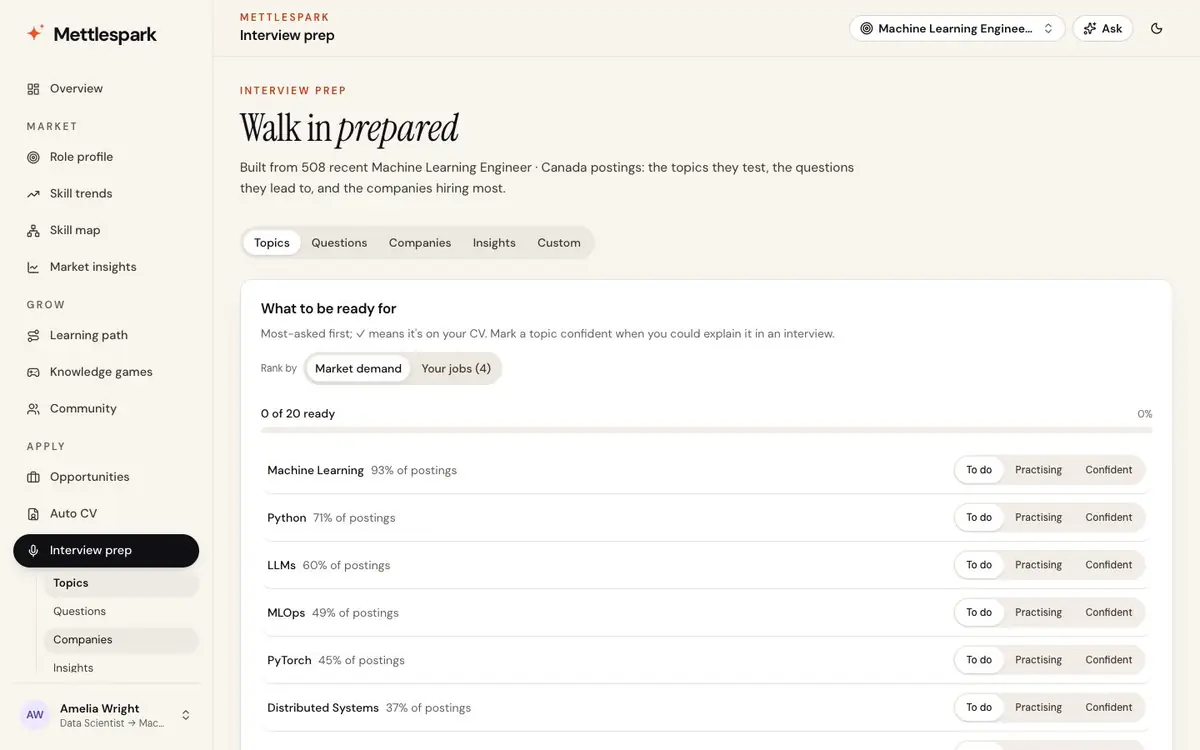
Interview prep
Apply → Interview prepThe topics your role tests, ranked by the market or by your jobs, and the questions they lead to, technical and behavioural, with what a strong answer covers.
- Mark each topic to do, practising or confident.
- Practice: type your answer or say it out loud. A score for structure, results, numbers, ownership and length, with tips; with Mettlespark AI, a written review.
-
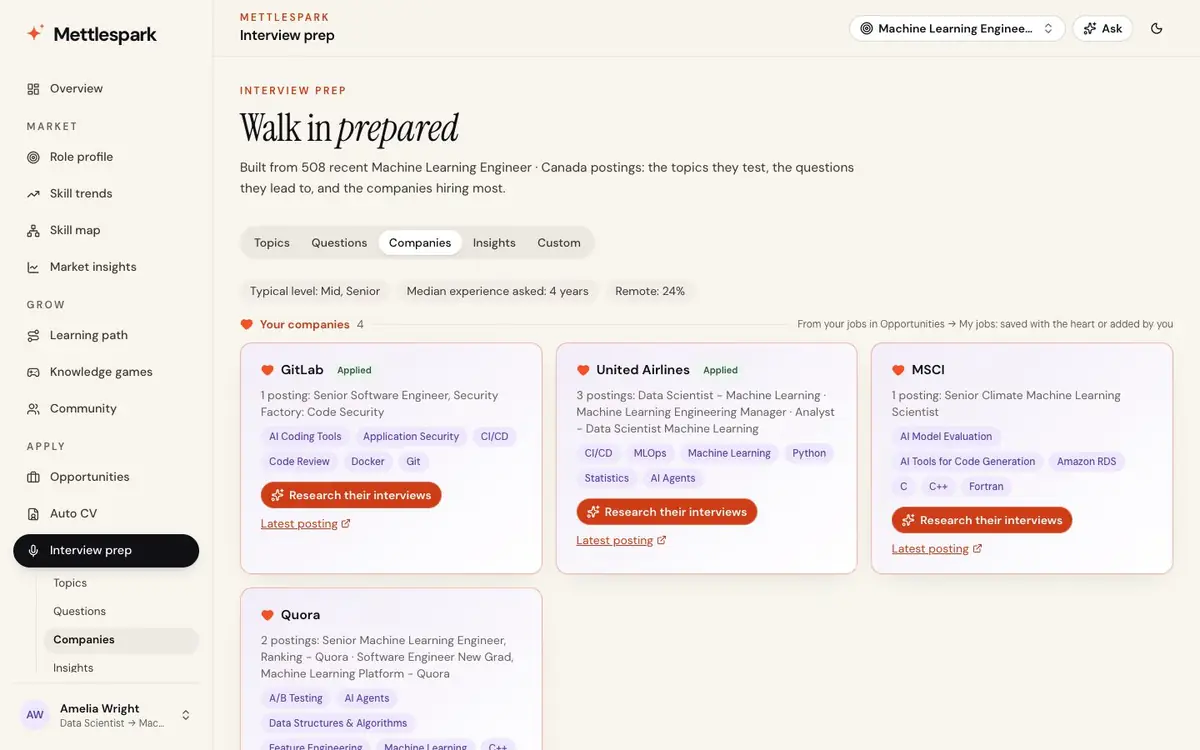
Your companies
Interview prep → Companies and InsightsThe companies from your jobs first, then the role's biggest hirers, each with what it asks for. Mettlespark AI researches how each one interviews, and the ten questions asked most for your role.
-
Prep for one job
Interview prep → CustomPick one of your jobs, or give any posting's link. Mettlespark AI reads it, researches how the company interviews, and prepares you from your profile and CV.
- Focus areas, what you already show and what to prepare, and the process.
- 10 to 15 likely questions, each with how to answer.
-
My profile
My profileYour answers from sign-up, your CVs and their skills, and your saved searches, all editable in one place.
Ask and your account
Answers when you need them. Your data, your call.
A career assistant grounded in your own market, plans that fit how you use Mettlespark, and control over your data and email.
-
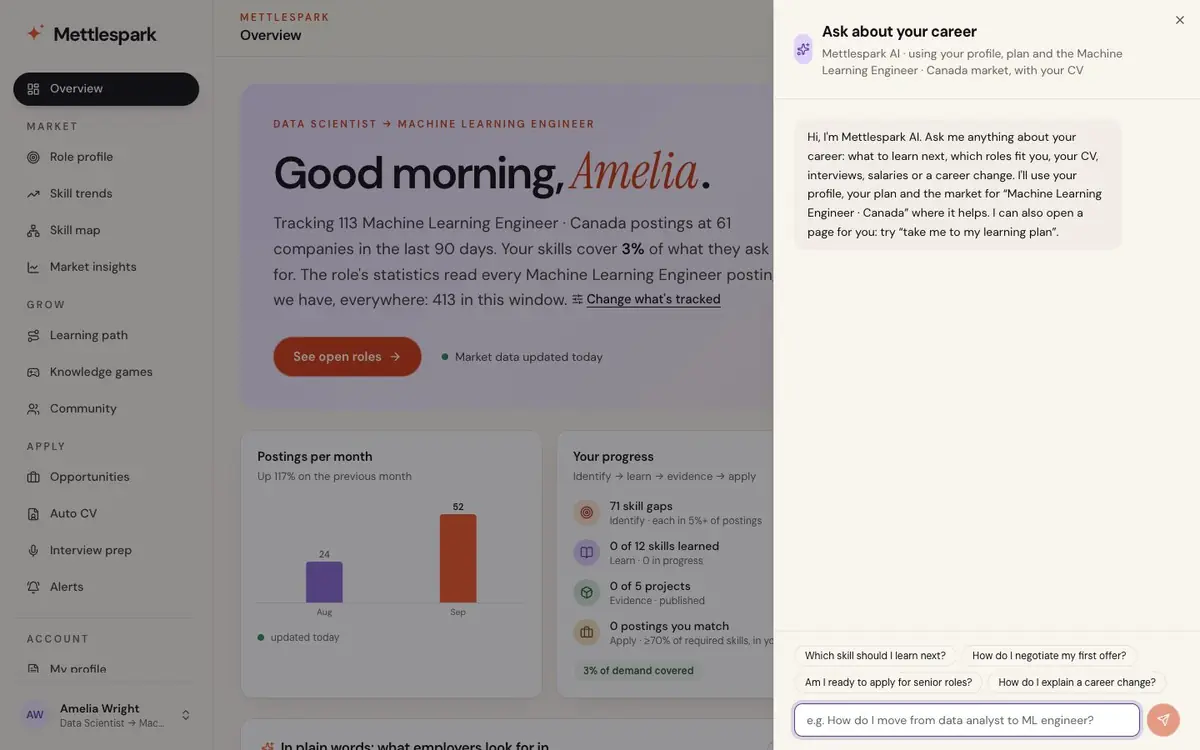
Ask about your career
Ask, from any pageWhich skill to learn next, whether you're ready for senior roles, how to negotiate an offer. Answers come from your profile, your plan and your market, and say what they don't know. Your past questions are kept, to ask again.
-
Plans and credits
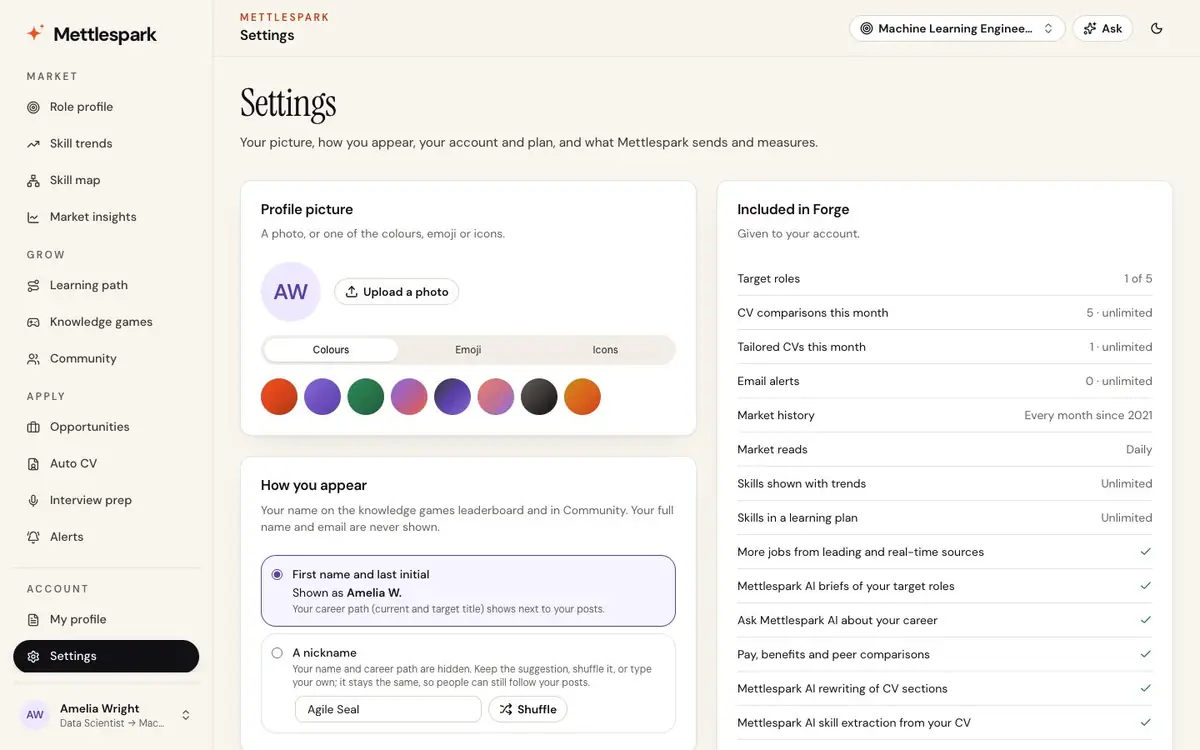
Settings → PlanSpark is free for one role. Forge is everything, for active job seekers. Flex pays for Mettlespark AI per use with credits that last twelve months, and a use that fails is refunded. Guild gives seats to a cohort or team.
-
For coaches, schools and teams
GuildSeats for the people you support, each with their own plan built from the live market, member invites handled for you, and annual agreements with invoices.
-
Your data and email
SettingsYou decide what email you get and whether usage is measured.
- Pause all optional email, or choose product news only with a yes.
- Ask for a copy of your data, or delete your account with a day to change your mind.
- Light, dark or your system's appearance.
Start where you are
Your next role is already posted. Start with it.
Free during early access. No credit card.